Amazon 3D product rendering: a seller’s guide to specs, rules, and workflow

Updated: Aug 5
Let’s be honest—selling on Amazon today feels like an arms race. You’re not just fighting for pricing; you’re fighting for attention. And in a sea of flat white-background photos, your listing has about 3 seconds to prove it’s worth the click.
That’s where 3D product rendering comes in. It’s not just about making "pretty pictures." It’s about showing your product in the best possible light—perfectly lit, at impossible angles, in lifestyle scenes that would cost a fortune to photograph for real.
But here’s the problem: Amazon has rules. Strict ones. If you’re not meeting their technical requirements, your perfect render is useless.
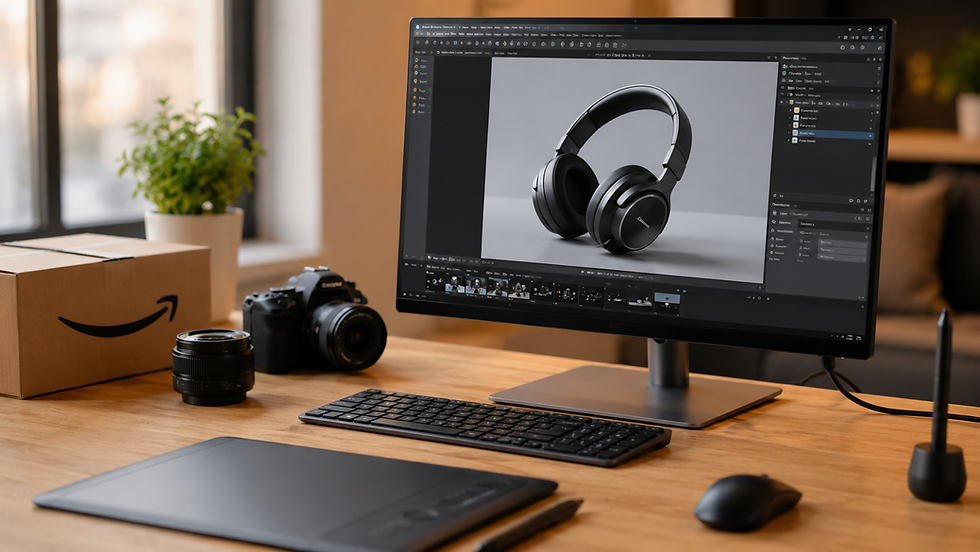
In this article, we’ll walk through exactly what you need to know about Amazon’s image requirements, how 3D rendering fits in, and what the workflow looks like when you work with a professional studio.
Why 3D renders are replacing traditional photography on Amazon
I’ve spoken with hundreds of sellers, and the story is always the same. A traditional photoshoot comes with hidden nightmares: renting a location, shipping prototypes to a studio, dust and reflections that can’t be removed in post-production.
3D rendering solves the "inventory problem." Your product doesn’t exist yet? That’s fine. It’s a heavy sofa that’s impossible to move around a photo studio? No problem. You want to show 15 color variations in the exact same lifestyle setting? You’d spend a fortune in real life, but in 3D, it’s a click of a button.
For visual examples of how we bridge that gap between physical items and digital models, take a look at our photorealistic 3D product rendering services page.

The non-negotiables: Amazon’s image technical specs
Before we talk about creativity, let’s talk about rejection. Amazon’s system will automatically flag your images if they don’t meet the baseline. It doesn’t matter how beautiful a render is, if the pixels are wrong, it won’t go live.
Here is the technical checklist:
1. Resolution and size
Amazon recommends images that are at least 1000 pixels on the longest side. Why? Because this enables the "zoom" function. If a customer can’t zoom in on a detail, they’re likely to bounce.
However, for a crisp, Retina-display look that converts, we usually recommend working at 2000 to 3000 pixels per side. This makes your product look sharp on any monitor, from a phone to a 4K desktop screen.
2. The pure white background (RGB 255,255,255)
This is the trickiest part for beginners. Your main image must have a pure white background. Not "off-white," not "slightly gray in the corner." It must be exactly 255 red, 255 green, and 255 blue.
In a photo, this is hard because lighting creates shadows. In a 3D render, we can literally dial in the background color to be mathematically perfect, while keeping the shadows on the floor looking natural and soft.
3. File format and color mode
· Save as: JPEG (for the fastest loading), or PNG if you truly need transparency (though the main image shouldn’t have transparency—it needs that white background). TIFF files are also accepted but are often unnecessarily heavy.
· Color Profile: sRGB. This is critical. If you work in Adobe RGB or CMYK, Amazon’s system will strip the color profile, and your product will look washed out and desaturated to the customer.
4. The "no props" rule for the main image
Your hero shot must show only the product for sale. No packaging, no extra items that aren’t included in the box, no hands, no text overlays. A 3D artist has to be careful here: it’s tempting to decorate a scene, but the main image must remain pure.

Going beyond the hero shot: the power of lifestyle renders
Okay, you’ve got your white background shot out of the way. Now you need to sell the dream. This is where 3D really shines compared to photography.
A lifestyle image isn’t just a picture; it’s a promise. For a furniture seller, it’s a cozy living room at sunset. For a supplement brand, it’s a pristine, fresh-looking scoop of powder next to fresh fruit.
With 3D, you can place a vacuum cleaner inside a hyper-realistic, sunlit Mid-Century modern home without renting the location. You can show an exploded view of a mechanical keyboard with all the parts floating in mid-air perfectly aligned.
If you need inspiration, our portfolio showcases a wide range of these lifestyle concepts, from industrial product shots to warm, inviting home scenes.

The Amazon 3D rendering workflow: from idea to listing
If you’ve never commissioned 3D work before, it can feel mysterious. But we follow a very structured process to make sure the result is exactly what Amazon needs, and that there are no surprises at the end.
Here’s how we normally work with sellers:
Step 1: The brief and reference gathering
It all starts with your idea. You don’t need to be a designer. Send us a photo of your product taken on your phone, a napkin sketch, or even a link to a competitor’s image style you like. We ask for:
Product dimensions and materials.
A mood board of the lifestyle you want (Scandinavian, dark and moody, modern office, etc.).
Step 2: The gray model (clay render)
Before we add any colors, lighting, or textures, we build the geometry. We send you a "gray model" render—a simple, untextured view of your product from the exact camera angle we agreed on.
This step is vital. It lets you check proportions. Does the armrest look too thick? Is the bottle cap the right shape? Changing geometry at this stage is easy. Changing it after we’ve added textures is like repainting a wall—it takes time.
Step 3: Texturing and lighting
This is the "photo studio" stage. We apply the materials—whether that’s brushed metal, oak wood grain, or frosted glass. We fine-tune the lighting to match the mood. Do you want soft studio light that mimics a flash? Or a warm sunrise coming through a window?
Step 4: Post-production and Amazon compliance check
We render the final image at high resolution. But we don’t just hit "send." We run a checklist:
Is the background exactly #FFFFFF?
Are the edges clean for the zoom function?
Is the color in the sRGB profile?
Step 5: Delivery
You receive the files ready to upload. No editing needed on your end. If you need specific sizes for A+ Content or the Brand Story module, we usually deliver those cropped variations too.
If you’re interested in the full scope of what we can produce, check out our full services page.

Common mistakes sellers make (and how to avoid them)
Over the years, we’ve seen a few recurring pitfalls. Here are the big ones:
The "too perfect" trap
Sometimes a 3D render looks too flawless. Real objects have slight imperfections. We add micro-scratches to metals or a tiny variation in fabric fuzz to make sure it looks photorealistic, not like a video game asset.
Ignoring the thumbnail view
Your hero shot has to work when it’s 300 pixels wide on a mobile search results page. If you insist on a wide shot of a full living room, your product becomes a tiny dot. You need close-up crop compositions alongside your lifestyle shots so customers can actually see what they’re buying.
Mismatched variations
If you sell a product in Red, Blue, and Green, Amazon requires a child ASIN image for each. A common mistake is rendering the scene and just changing the hue of the product in Photoshop. That looks fake. You have to re-render the image properly so that the red version reflects red light onto the table, and the blue version reflects blue light. It’s subtle, but customers notice.

FAQ
Can Amazon tell the difference between a 3D render and a photo?
Usually, no—if it’s done professionally. Amazon’s algorithm only looks at pixel quality and compliance with the white background rule. As long as the product is accurately represented, high-quality 3D renders are perfectly fine and widely used by top sellers, including big brands like IKEA or kitchenware companies.
Is 3D rendering cheaper than traditional photography?
It depends on your product. If you have 10 color variations that need 5 lifestyle shots each, 3D is almost always far cheaper and faster than organizing 50 different photo setups. For a single, simple product with no variations, traditional photography might be cheaper in the short term. The real value in 3D is the flexibility to reuse and modify the assets later.
What if my product isn’t manufactured yet? Can you still create images?
Yes, this is actually one of the biggest advantages of 3D. You only need CAD files or technical drawings. We can build your product digitally and create your entire Amazon listing before the first physical sample ever leaves the factory, allowing you to start marketing and pre-selling much earlier.
Do I need 3D models for Amazon’s "View in Your Room" feature?
Yes, Amazon has a feature that lets customers view products (mostly furniture) in their own space using AR on their phone. This requires a specific 3D model format (usually GLB or USDZ). This is different from a rendering—it’s an actual interactive 3D file. We can convert a photorealistic model into these formats if you want to use that feature.
How long does a typical 3D rendering project take?
For a simple white-background shot of a single product, it might take 2–3 days. For a complex lifestyle scene with multiple products (like a table set with plates, glasses, food, and a tablecloth), expect 5–7 days for the initial concept. Revisions and color variations then usually take less than a day to render.


